Phonk lives on attitude: distorted cowbells, Memphis-rap samples, and vocals that
sound low, gritty and oversized — half-human, half-monster. Whether it’s a
pitched-down demon chant, a robotic hook or a menacing ad-lib buried in reverb,
the vocal character is doing a lot of the work. This guide shows how to build that
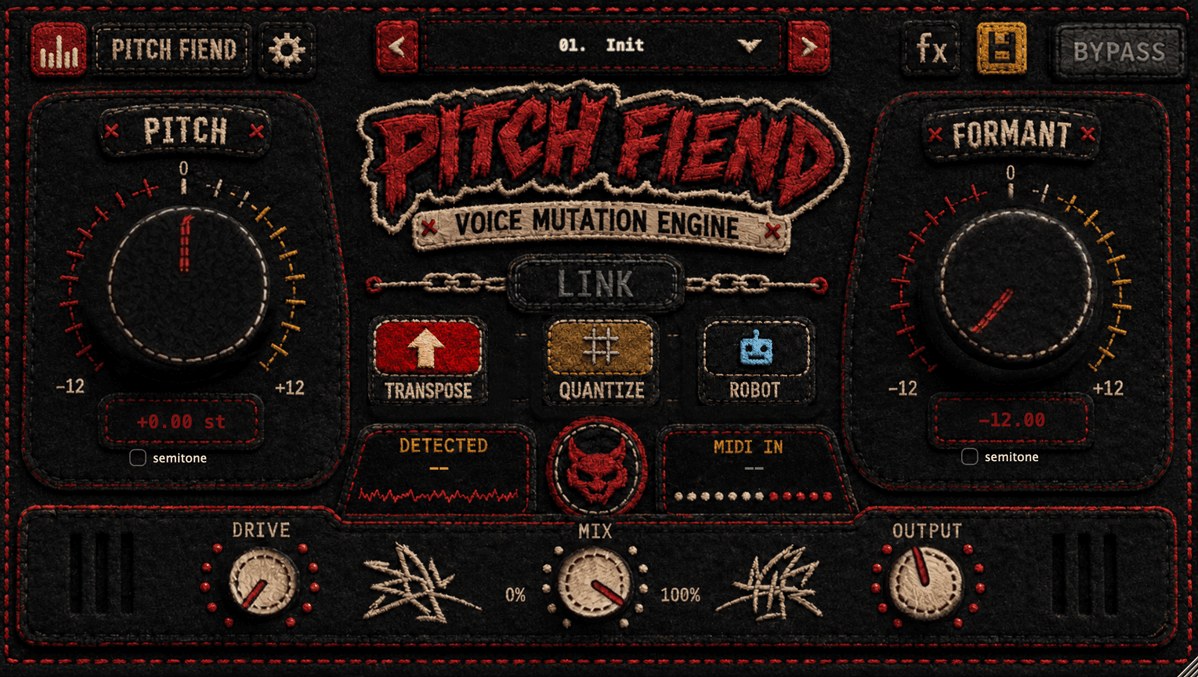
dark phonk vocal sound with PITCH FIEND, with exact starting settings.
What makes a phonk vocal “dark”
Three ingredients, and none of them is just “pitch it down”:
- Low, heavy character — the voice sounds bigger than the person. That’s
formant, not pitch. - Grit — saturation and distortion so it cuts through crushed drums.
- Space & menace — reverb, sometimes a telephone/lo-fi tone, to sit it back in
the murk.
PITCH FIEND covers all three in one window: pitch + formant, a Drive stage,
and a built-in FX rack.
The core dark phonk vocal (starting settings)
- Load PITCH FIEND on the vocal. Mode: Transpose.
- Pitch: −4 to −7. Drop it into that heavy, slowed register.
- Formant: −6 to −9. This is the “dark” — the voice grows bigger and more
menacing. Formant does more here than pitch. - Drive: 40–65 %. Grit so it fights through distorted drums.
- Formant quality: Deep for a smoother low voice on exposed lines.
- Reverb (FX rack): a medium-to-large space, Wet ~20–30 %, a little pre-delay
so the words stay readable.
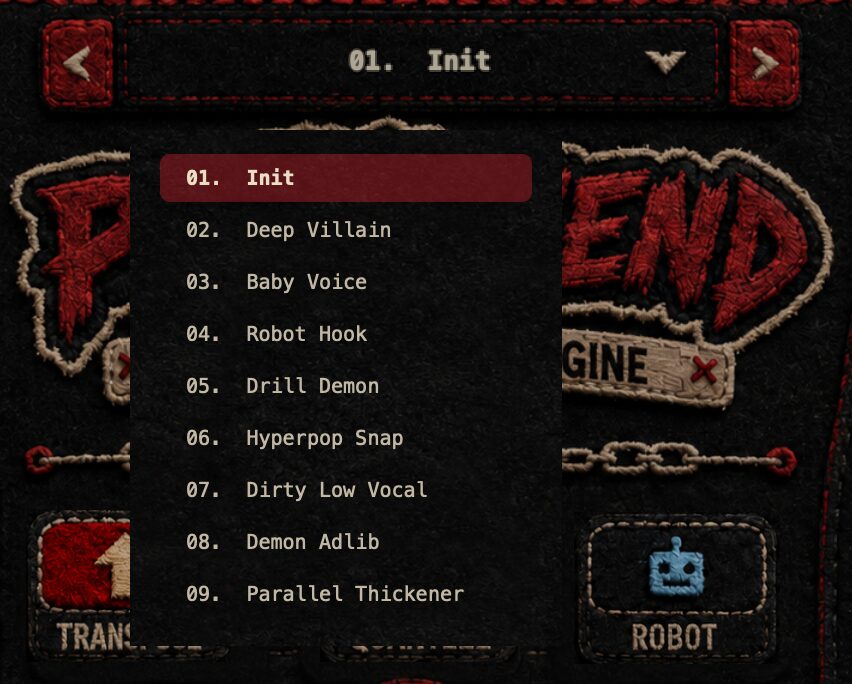
Prefer a shortcut? Start from the Deep Villain or Dirty Low Vocal preset
and tweak from there.
Variations
Demon chant / gang vocal
- Pitch −7 to −12, Formant −8 to −10, Drive 55–70 %.
- Layer two takes, pan them wide, and push reverb for that cavernous crowd feel.
- Presets to try: Drill Demon, Demon Adlib.
Robotic phonk hook
- Mode: Robot, play the melody from MIDI (see our note below).
- Monotone, android delivery for hypnotic, repetitive hooks.
- Add tempo-synced delay for movement.
Cursed / lo-fi texture
- Push Formant to an extreme, add heavy Drive, then high-pass around
120–200 Hz and low-pass the top for a crushed, telephone-in-hell tone.
Oversized but still clear
- Pitch −3, Formant −6, Drive 30 %, high-pass ~100 Hz so the low voice doesn’t
clash with the 808 and cowbell.
Mixing dark phonk vocals
- High-pass to make room. A dark voice piles up low-mid energy — carve it so
the 808 and kick still hit. - Parallel blend. If the effect eats the words, drop the Mix and let the
dry take carry the lyrics while the FIEND layer adds weight. - Distort with intent. Drive is often enough; if you want more, add a separate
distortion after PITCH FIEND for that speaker-blown edge. - Bury, then recover. Reverb sells the menace, but automate it down on key
lines so the hook still lands.
For the deeper theory on why lowering formants makes a voice sound darker (and
how to keep it controlled), read our companion guide:
How to Create Dark Formant Vocals.
PITCH FIEND also pairs well with the rest of our
FX plugins
for bigger, gated spaces on chants and ad-libs.
Robotic hooks need MIDI? PITCH FIEND’s Robot mode plays from your keyboard —
see our guide on
changing a vocal’s notes with MIDI.
Dark phonk vocal cheat-sheet
Starting points for the main phonk vocal moves — adjust to taste:
| Sound | Mode | Pitch | Formant | Drive | Extra |
|---|---|---|---|---|---|
| Core dark phonk vocal | Transpose | −4 to −7 | −6 to −9 | 40–65 % | Medium reverb, Deep quality |
| Demon chant / gang vocal | Transpose | −7 to −12 | −8 to −10 | 55–70 % | Two panned takes, big reverb |
| Robotic phonk hook | Robot | (MIDI) | −2 to −6 | 30–50 % | Tempo-synced delay |
| Cursed / lo-fi texture | Transpose | −4 | extreme | 60 %+ | HP 120–200 Hz, LP the top |
| Oversized but clear | Transpose | −3 | −6 | 30 % | HP ~100 Hz |
Common mistakes to avoid
- Pitching instead of formant-shifting. Dropping only the pitch gives you a
muddy, slowed-tape voice. Let the formant create the darkness and keep pitch
moves smaller. - No high-pass. A dark voice stacks up low-mid energy that fights the 808 and
cowbell — carve it out so the low end stays punchy. - Drowning the words. Reverb and distortion sell the vibe, but if the hook is
unreadable, drop the Mix or automate the effects down on key lines. - One flat layer. Phonk vocals thrive on contrast — a clean-ish lead with a
heavier, doubled demon layer underneath reads far bigger than a single processed
take.
Build a full phonk vocal chain
PITCH FIEND handles the character in one window — pitch, formant, drive, delay and
reverb — so you rarely need a stack of plugins. When you want an even bigger, gated
space on chants and ad-libs, pair it with the rest of our
FX plugins.
Make one now: hear the dry-to-FIEND demo and grab PITCH FIEND on the
PITCH FIEND product page.
FAQ
What settings make a dark phonk vocal?
Start with Transpose, Pitch −4 to −7 and Formant −6 to −9, add 40–65 % Drive, and a
medium reverb. The formant drop is what creates the dark, oversized character.
How do I get the demon chant sound?
Push Pitch to −7…−12 and Formant to −8…−10 with heavy Drive, layer two panned
takes, and add a big reverb — or load the Drill Demon / Demon Adlib preset.
Can I make a robotic phonk hook?
Yes — use Robot mode and play the melody in via MIDI for a monotone, android hook.
The post How to Make Dark Phonk Vocals appeared first on Producer Sources.