Content supplied by Patch DNA.
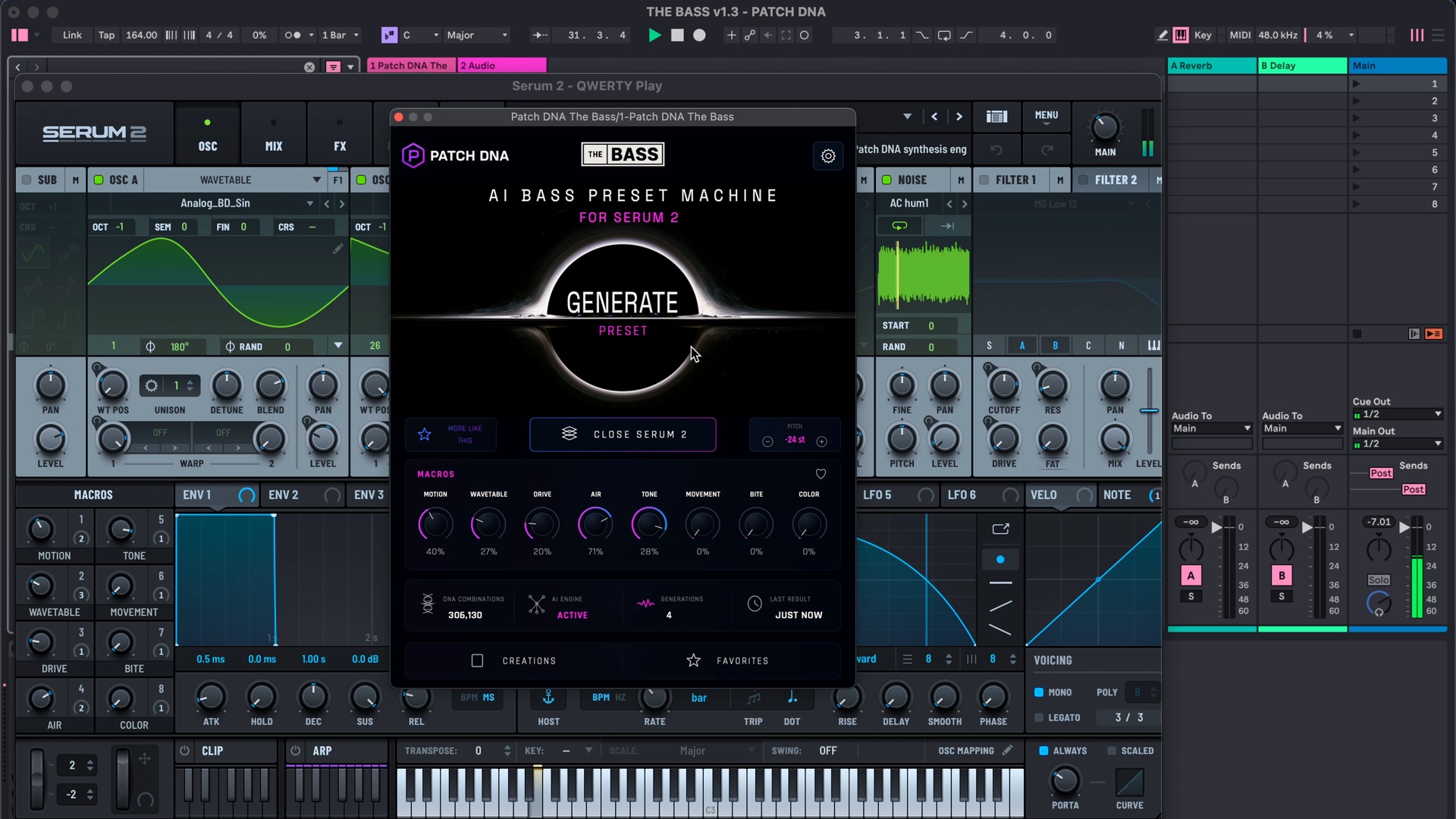
Patch DNA The Bass brings preset generation into the same DAW session where you write the bass part. Its focus is Drum & Bass, Neurofunk, Dubstep and Bass Music, with sounds such as Reese basses, growls and sub tones. Generate presents a candidate to play, and More Like This explores related variations around a result you want to follow.
With The Bass, you can explore neurofunk Serum presets in your Serum 2 projects while the DAW session is open. You can judge a bass beside a break or hear what a new texture suggests before writing the drums. The instrument runs inside compatible DAWs on Windows and macOS.
Give a Reese room to move
A sustained Reese can occupy a phrase differently from a brief growl. To explore that difference, write a simple bass part with a longer note across the turn of a drum loop. Keep the notes easy to hear. Generate a candidate, then listen to how its character develops during that held note.
You might want the bass to continue through the turnaround, or find that a shorter note gives the drums a better entrance. Change the MIDI part and play the section again. The sound has given you something concrete to respond to, and that response becomes part of the composition.
A longer audition also makes room for sounds you would skip after a single key press. Let the phrase repeat with the other parts of the track. If the candidate suits a quieter section, save that possibility before moving on to a more active bass voice.
Explore a tighter phrase in Neurofunk
A Neurofunk sketch can put a different demand on the bass. Start with a few short notes around the break and leave a gap at the end. Try a generated growl against that pattern. The first response may be to move one note or make the gap longer, so keep the MIDI editable while you listen.
More Like This is useful once a character has caught your attention. With the same phrase playing, related variations let you hear other options close to that find. A candidate might suit the short notes while another makes the final sustained note more interesting.
Save the options that have a musical role. Creations and Favorites keep useful discoveries available, and a DAW project can hold separate sketches of the phrases you played with them. An audio reference is helpful when the performance matters as much as the preset: it preserves the timing you liked before you try another idea.
The Bass generates the sound you play. Writing the rhythm, choosing a note length and deciding where a phrase should stop are still part of making the track. You can spend the session on those decisions while exploring unfamiliar timbres.
A collection that grows through your choices
Preset packs provide ready-made collections with their own musical flavour. The Bass can sit alongside those libraries. Generation lets you request further sounds within its genre palette, and related variations give you a way to stay around a promising character.
Keep a reliable bass from an existing library in the project and explore generated alternatives in a separate sketch. Listen for a different way to play the section, then choose the version that belongs in the arrangement. A favourite preset can stay in the track while you try something unfamiliar elsewhere.
The same approach can begin with an empty project. A sustained bass might suggest the pace of a new idea, while a short talking sound could prompt a response on another note. Record the phrase before adding other instruments, so the early idea remains available as the track develops.
Active macros give you accessible adjustments to a generated sound. Each result also remains editable in Serum 2 for more detailed changes. The Bass requires a separately purchased, installed and activated copy of Serum 2; the product page lists its specific system requirements.
When saving a promising result, keep the preset with the MIDI sketch that made it useful. A later session can then begin by hearing the original phrase against the drum loop again.