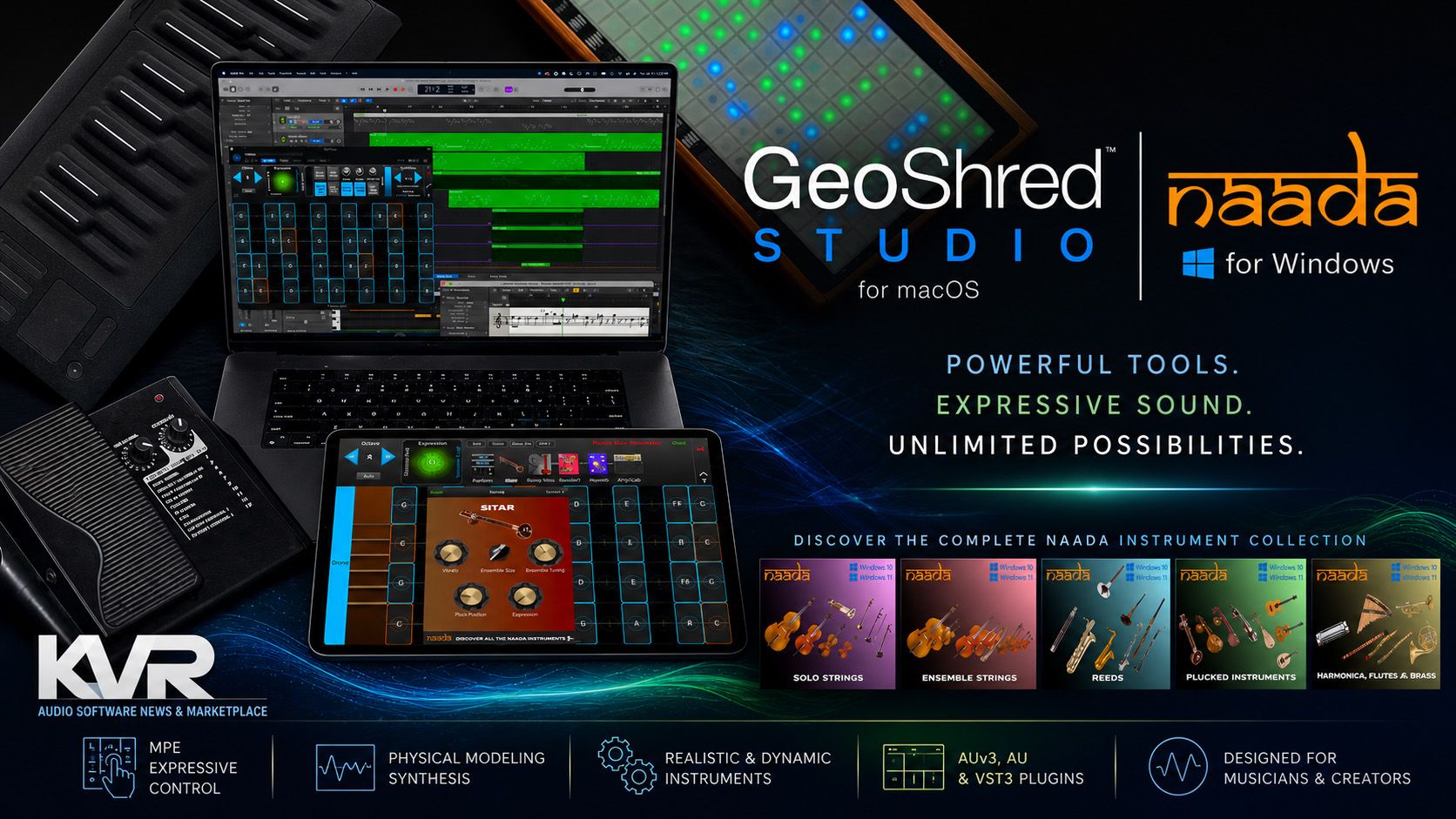
It’s physical model week at KVR…
…and KVR is working with Wizdom/moForte to promote the concept, so we’re going to talk about GeoShred Studio for Mac and the Naada Series of highly expressive instruments.
GeoShred and Naada for Windows are a collection of expressive physical-modeling instrument environment that brings the touch-driven performance philosophy of Jordan Rudess and Wizdom Music into the desktop DAW world. Rather than relying on static sample playback, GeoShred Studio focuses on continuous articulation, MPE expression, and gesture-based performance, allowing musicians to capture bends, slides, vibrato, and pressure data directly into a DAW as editable MIDI/MPE performances via GeoShred Connect.
Physical modeling as a concept was invented by Julius Smith at Stanford University’s Center Computer Research into Music and Acoustics (CCRMA) in the 80s but the only keyboards available at the time were mostly a set of on/off switches. Now with exponentially increased computer speed and a host of new controllers that take advantage of gestural performance for expression.
The platform combines physical modeling with deep controller integration, making it especially compelling for progressive rock, fusion, world music, film scoring, and experimental electronic production. While its workflow differs from conventional sample libraries and may require a learning curve, GeoShred Studio stands out as a highly musical performance system that rewards expressive playing and offers a more fluid alternative to traditional key-switched sampled instruments.
{PRODUCT-HEADER-STANDALONE-35443-naadacollectioniiiforgeos}
GeoShred Studio does not quite fit the usual plug-in categories. It is better understood as an expressive physical-modeling environment that brings GeoShred (and Wizdom/moForte’s) philosophy into a Mac-based production workflow.
GeoShred is about touch, movement, pitch, and articulation. On iPad and iPhone, that has long meant an isomorphic playing surface capable of bends, slides, vibrato, pressure-style gestures, and controlled pitch behavior, as more than adequately demonstrated by Wizdom’s founder, Jordan Rudess.
GeoShred Studio extends that idea to macOS as an AUv3 plug-in, designed to allow composers and producers to use the instrument inside a DAW while still retaining the expressive control that has made GeoShred distinctive. Its most important trick is GeoShred Connect, which allows GeoShred on iOS or iPadOS to control GeoShred Studio on the desktop and record performances as editable MIDI/MPE data.
That last point matters. Many expressive instruments are wonderful to play but awkward to produce with. GeoShred Studio makes the performance part of the arrangement process. A player can capture a detailed MPE performance, then edit notes, timing, bends, and expression in the DAW before re-rendering the part. For scoring, progressive rock, fusion, electronic, world music, or any production that needs true instrumental motion rather than static sampled notes, this is huge.
Sonically, GeoShred Studio is rooted in physical modeling rather than sample playback. The Studio Essentials purchase unlocks the core functionality, including the physical modeling audio engine, 200 guitar-pluck-model presets, modeled effects, iCloud preset synchronization, and GeoShred Connect support. Additional modeled instruments are available as in-app purchases, including bowed strings, woodwinds, brass, and traditional Indian and Chinese instruments.
The guitar-based material remains a natural home for GeoShred. It can scream, slide, bend, and sustain in ways that feel much closer to a performance than a keyboard-triggered guitar patch. But the broader instrument ecosystem is arguably where GeoShred Studio becomes even more interesting. The Naada and GeoSWAM-style expansions move the platform toward a hybrid between an expressive controller system and a modeled world-instrument workstation. For musicians interested in MPE, alternative tunings, non-Western scales, and performance-oriented sound design, this is exactly the kind of instrument that rewards time spent learning it.
There are caveats. Although Naada for Windows brings the instruments to the Windows platform as individual instruments, GeoShred Studio is still Mac-only and not the most conventional plug-in experience. Users expecting a simple preset browser and piano-roll workflow may need time to understand how GeoShred is different. The best results come from treating it as an instrument to be performed, not just a sound module to be sequenced.
That said, this is also what makes it special. GeoShred Studio brings physical modeling, MPE, touch performance, and DAW integration together in a way that feels genuinely musical. For players and producers who already own an iOS device, or an MPE hardware controller (See Roger Linn’s forum thread here), and are willing to embrace its performance surface and controller ecosystem, it offers something far more expressive than another sampled guitar or generic modeled lead instrument. It is a serious tool for musicians who want notes to bend, breathe, and behave like gestures rather than grid events.
Soooo, what’s the difference between physical modeling and sample-based instruments?
- Sample-based instruments start with recordings of real instruments. A sound designer records many notes, dynamics, articulations, round robins, release noises, legato transitions, and other details, then maps those recordings across a keyboard or controller. The realism comes from the fact that the source is real.
- Physical modeling starts with a mathematical model of how an instrument behaves. Instead of playing back recordings, it simulates things like strings, reeds, tubes, resonant bodies, bow pressure, pick position, breath, damping, stiffness, and feedback. The realism comes from recreating the behavior rather than replaying the result.
In short, samples are better at reproducing a specific recorded sound; physical modeling is better at responding like an instrument.
moForte CTO demonstrates hom physical models can replace keyswitches
A high-end sampled piano, string library, drum kit, or orchestral section can sound spectacular because it captures the tone of a real instrument in a real room with real microphones. That is why sample libraries dominate film scoring, pop production, and many “real instrument” mockup tasks. The downside is that samples are ultimately fixed recordings. Developers can add more layers, scripts, legato transitions, and key-switched articulations, but the player is still switching among captured events, which can be a tedious and complicated process for someone who just wants to make music.
Physical modeling is more fluid. Because the sound is being generated in real time, the player can continuously change pitch, pressure, vibrato, damping, brightness, attack, and articulation. This is especially powerful with MPE controllers, wind controllers, touch surfaces, and instruments such as GeoShred where keyswitches are not needed because the performer can directly perform expressively.
The tradeoff is tone versus behavior. Samples usually win when the goal is an exact, studio-recorded version of an instrument. Physical modeling wins when the goal is expressive control, unusual performance gestures, small install size, fast loading, or instruments that can morph beyond the limits of the original acoustic source.
For example, a sampled violin library may provide beautiful longs, shorts, pizzicato, tremolo, sul ponticello, and scripted legato. But if the player wants to continuously slide between notes, vary bow pressure, push vibrato in real time, or shape every note like a soloist, a modeled violin-style instrument can be more responsive.
There is also a production difference. Sample libraries can be huge, sometimes requiring hundreds of gigabytes of storage and fast streaming from SSD. Physical modeling instruments are usually much smaller because they do not need thousands of recorded samples. They are more CPU-dependent, but modern operating systems handle many modeled instruments comfortably.
For GeoShred Studio, this distinction is central. It is not trying to be a giant sampled guitar or world-instrument library. Its appeal is that notes can bend, slide, react, and evolve under performance control. That makes it especially interesting for musicians who care about MPE, expressive controllers, and instruments that behave less like playback machines and more like playable systems.
Finally, and this is a big deal, sample libraries use key switches to select different articulations, which can be tedious. Physical models can be directly articulated using gestures. The video below is a tiny example that GeoShred showed at NAMM. Imagine using key switches to articulate this short performance. it would probably take hours of manual work. Yet, when demonstrated, the articulations directly with gestures, perform it into Logic and play it back in Logic. No muss, no fuss!
moForte is working on using AI technologies to calibrate a vanilla physical model to a known instrument. That’s how they plan to eventually address the timbral variability of orchestral sample libraries.
Controller recommendations for GeoShred Studio and Naada for Windows
Up first is Roger Linn’s LinnStrument. GeoShred’s identity is continuous pitch, slides, vibrato, pressure, and performance gestures. LinnStrument is built around that same idea. Roger describes it as sensing finger movement in multiple ways, and its MPE support gives independent pressure, left/right, and forward/back movement for simultaneous touches. Here’s Roger Linn’s point of view on samples vs synthesis from his website.
For Naada’s sitar, sarod, veena, violin, erhu, duduk, bansuri, shehnai, and similar instruments, LinnStrument makes the most musical sense because it supports:
Need
- Slides and meends
- Vibrato
- Pressure expression
- Non-keyboard phrasing
- MPE editing in DAWs
Why LinnStrument works
- Continuous left/right pitch movement
- Natural fingertip movement
- Useful for dynamics and timbre
- Better for string/wind-style lines
- Standard MIDI/MPE over USB or MIDI
https://youtu.be/QwboL99yJ-g
Here’s Jordan playing GeoShred Studio with a Linnstrument
{PRODUCT-HEADER-STANDALONE-11174-linnstrument}
ROLI Seaboard RISE 2
It is less familiar than a piano keyboard, but for GeoShred-style expression, that is an advantage rather than a drawback.
The ROLI Seaboard RISE 2 is also a strong fit, especially if the player wants a more traditional keyboard layout, rubber-surface experience. It is excellent for bends, vibrato, and continuous slides. The downside is that the playing surface can feel less precise than LinnStrument for fast, scale-based, or microtonal phrasing. For Indian and Asian modeled instruments in Naada, that precision matters.
Gerald Peter plays GeoShred with his Seaboard Rise and custom guitar model
{PRODUCT-HEADER-STANDALONE-32877-seaboard2}
Expressive E Osmose
For someone who wants a more traditional keyboard, Expressive E Osmose is probably the most inviting MPE controller. It gives expressive control from a familiar keybed rather than a grid or soft ribbon surface. Expressive E positions Osmose as a way to bring superior expressivity to MPE-compatible plugins, and the new Osmose CE controller version was announced in April 2026 in 49- and 61-key versions.
{PRODUCT-HEADER-STANDALONE-32955-osmose}
For KVR users on Windows working with Naada VST3, we would rank them this way:
- LinnStrument — best overall for GeoShred/Naada-style expression
- ROLI Seaboard RISE 2 — best for smooth continuous slides and legato
- Expressive E Osmose / Osmose CE — best for keyboard players
- Wind controller — best specifically for Naada winds such as bansuri, duduk, shehnai, pan flute, and clarinet-style instruments
- Surface controllers like iOS devices and…
If you don’t already own an iOS device our pick is LinnStrument 128. It gives Naada the right balance of pitch control, pressure, MPE depth, portability, and performance accuracy.
GeoShred for Cubase Users
GeoShred for Logic Users
Read More